Validated structure
BoS / CHoCH at close or wick, pivot half-window, capped number shown.
Type to search the whole ecosystem: marketplace, terminal, forum, courses, strategies, ebooks, services.
Structure, zones, liquidity, signals: the whole Smart Money reading on a single chart, calibrated to the symbol's ATR, with a panel summarising the bias, the price position and the state of the zones. More precise, more complete.
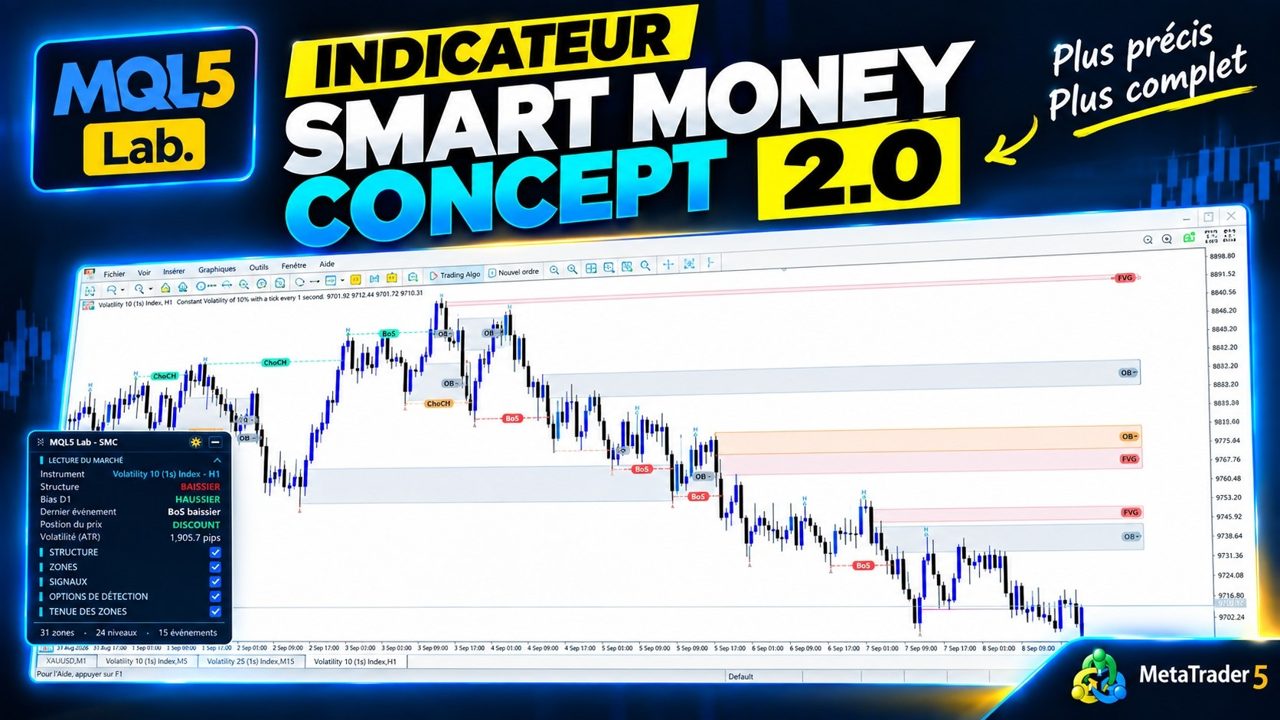
Smart Money Concept 2.0 is the complete overhaul of SYVARN's SMC indicator. It reads the structure (BoS and CHoCH validated at close or wick, your choice), detects fair value gaps, order blocks, breaker blocks and supply/demand zones, spots equal highs/lows, BSL/SSL liquidity pools, the OTE zone, inducement and expansion, and places the price in premium or discount.
What changes with 2.0: every zone has a life. Filled gaps, touched or mitigated order blocks stay visible in grey instead of disappearing, so you can see what the market has already consumed. ATR calibration adapts the thresholds to the symbol without tweaking the settings, and a higher timeframe provides the bias and the key levels.
The panel summarises the essentials at a glance: instrument, structure, D1 bias, price position within the range, volatility, last event. Alerts warn on breaks and new zones.
BoS / CHoCH at close or wick, pivot half-window, capped number shown.
FVG, order blocks, breakers, supply/demand — touched or mitigated zones stay grey instead of disappearing.
EQH/EQL, BSL/SSL, inducement/expansion, optimal entry zone.
HTF bias and key levels projected on the working chart.
Minimum gap and body size in ATR multiples: the settings hold from one symbol to the next.
Instrument, structure, D1 bias, price position, volatility; alerts on breaks and new zones.

Every setting is commented in the MetaTrader parameters window. Here are the main groups.
In MetaTrader 5: File → Open Data Folder, then MQL5 / Indicators.
Copy the file .ex5 (and the Include provided, if any) into this folder.
In the Navigator (Ctrl+N), right-click Indicators → Refresh.
Set the parameters, confirm. The tool is active.
Choose the plan, send the amount in USDT, fill in the form with the transaction hash. I check every payment on-chain myself and send you the file and its license by e-mail within 24 h.
Monthly, cancel any time, or a lifetime license with updates.
In USDT, BNB Smart Chain (BEP20) network only, to the address below.
The transaction hash and the path of your MQL5 folder (illustrated guide below).
The file and its license, within 24 h of payment confirmation. Notification on Telegram too.
Scan from your wallet or exchange app, or copy the address. Check the network before confirming.
0x28bbfce4017130356d9bcf15053f67bbb8351638
Watch the animation, or follow the steps. On MetaTrader 5, the data folder has a unique identifier: that is what identifies your installation.
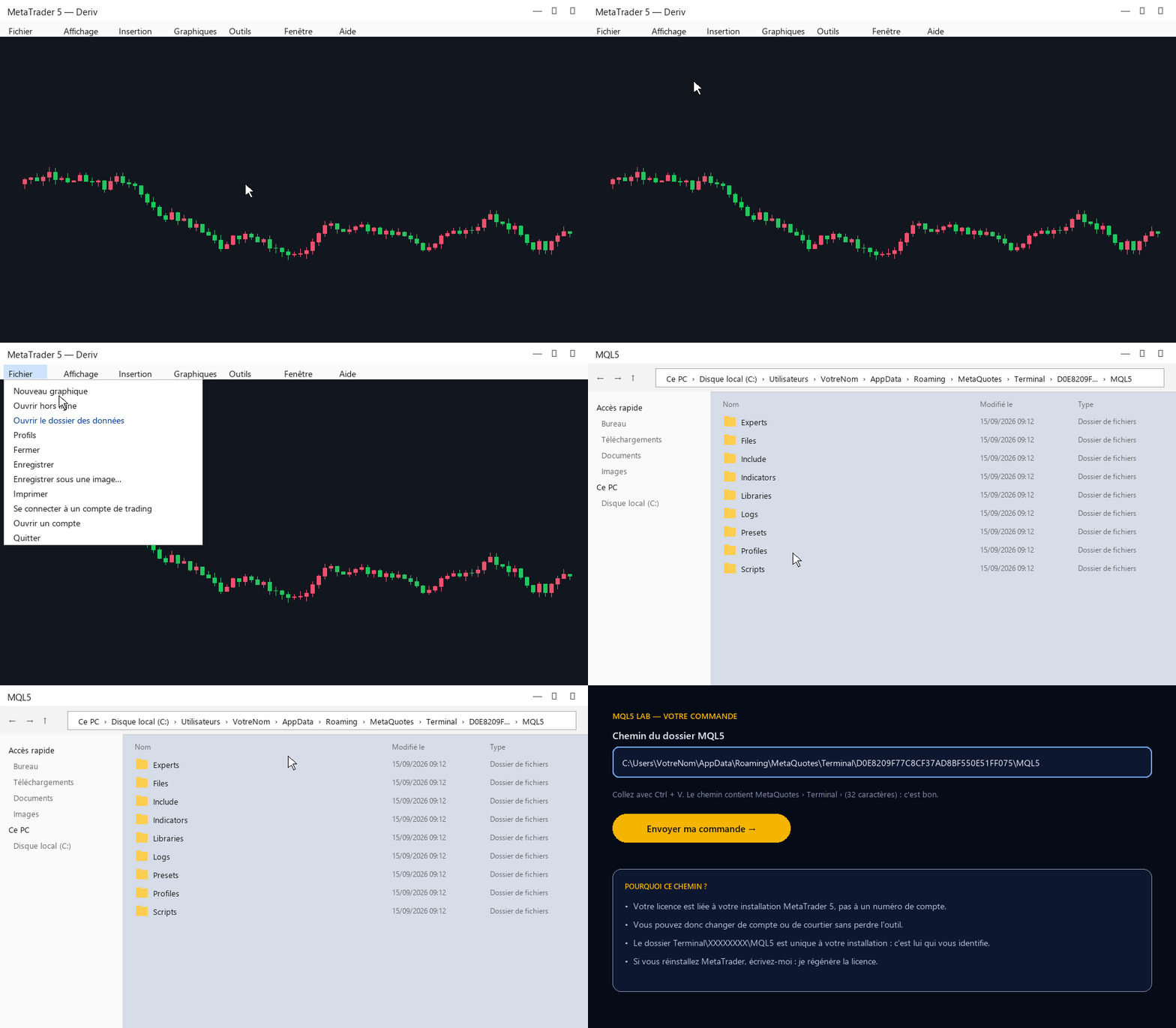
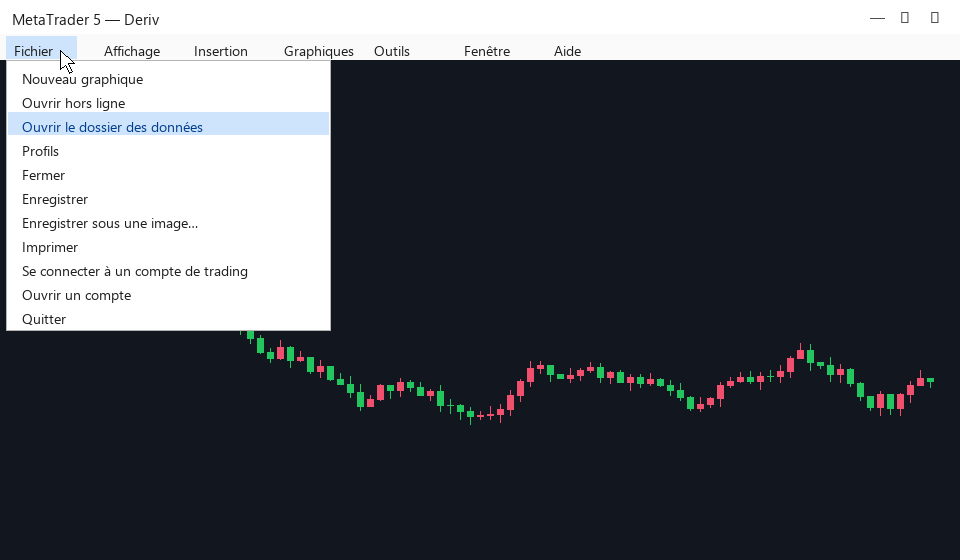
File → Open Data Folder. An Explorer window opens.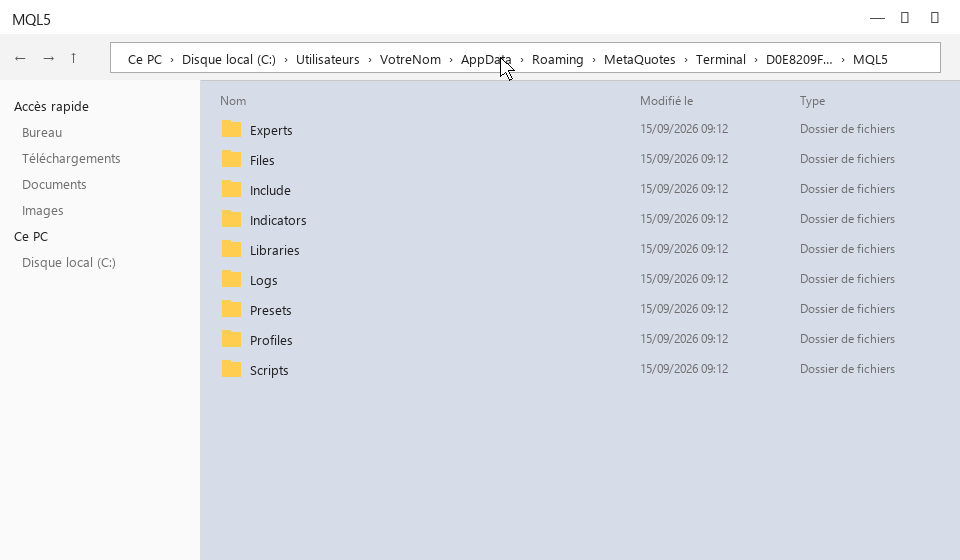
MQL5, then click once in the address bar at the top: the full path appears.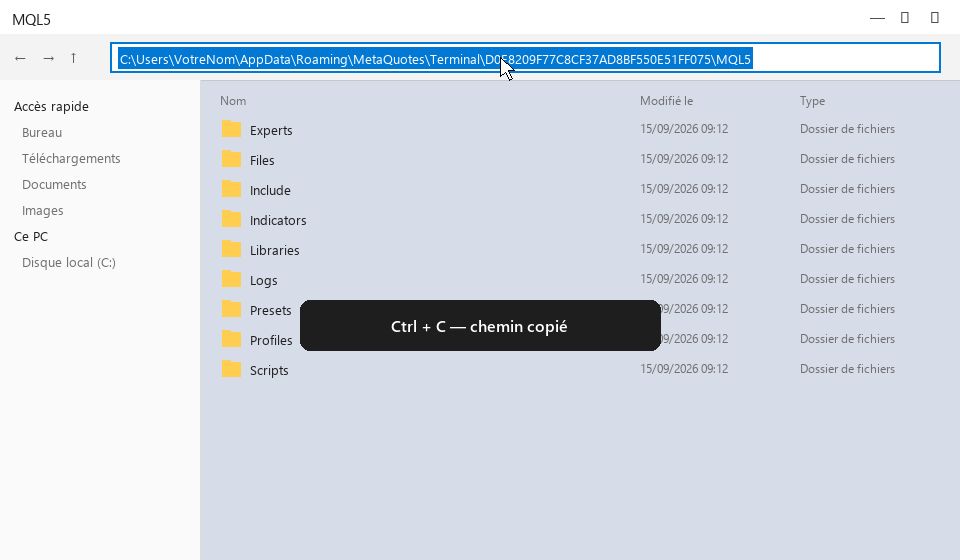
C:\Users\Vous\AppData\Roaming\MetaQuotes\Terminal\D0E8…\MQL5.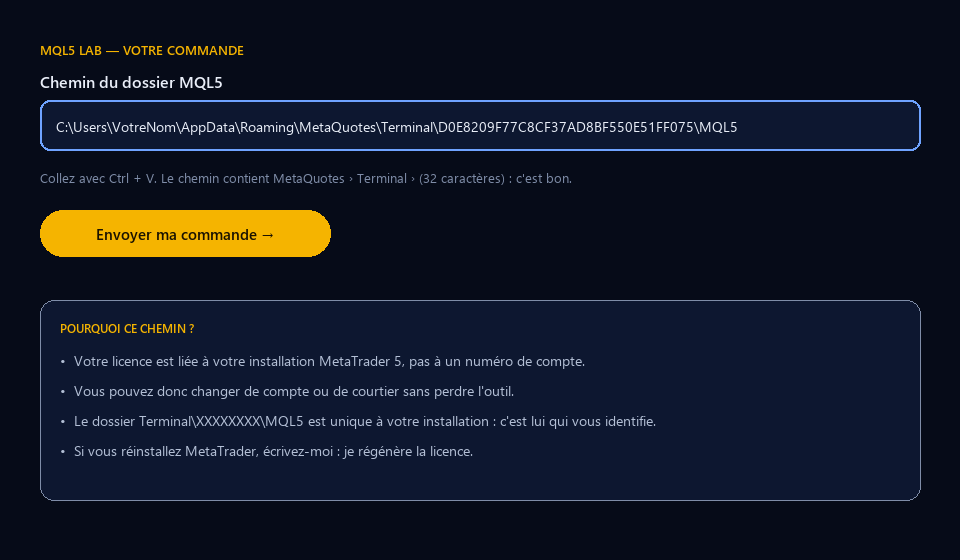
Several MetaTrader installations (several brokers)? Send the path of the one where you will use the tool. On Mac or on a VPS the principle is the same: the folder Terminal\identifier\MQL5.
Honest feedback, positive or not, from people who actually installed the tool. I do not edit reviews; I only remove spam and links.
Loading…
It draws the structure, the zone, the refined obstacle and the area to watch before the price gets there. It never rewrites the past.

Candle Range Theory with IPDA logic: higher-timeframe ranges, their median, re-entries (Turtle Soup), continuation BOS and confluence FVGs.
The whole SMC toolbox: structure, FVG, order blocks, supply/demand, breakers, EQH/EQL, BSL/SSL liquidity, OTE, inducement, premium/discount. Calibrated to the symbol's ATR.