Signaux anti-repaint
Stochastic crossings filtered (below 20 / above 80) and drawn as fixed objects: no arrow disappears.
Type to search the whole ecosystem: marketplace, terminal, forum, courses, strategies, ebooks, services.
Buy and sell arrows filtered by the trend, an ATR channel, ZigZag reversals and a multi-timeframe dashboard. No repaint.
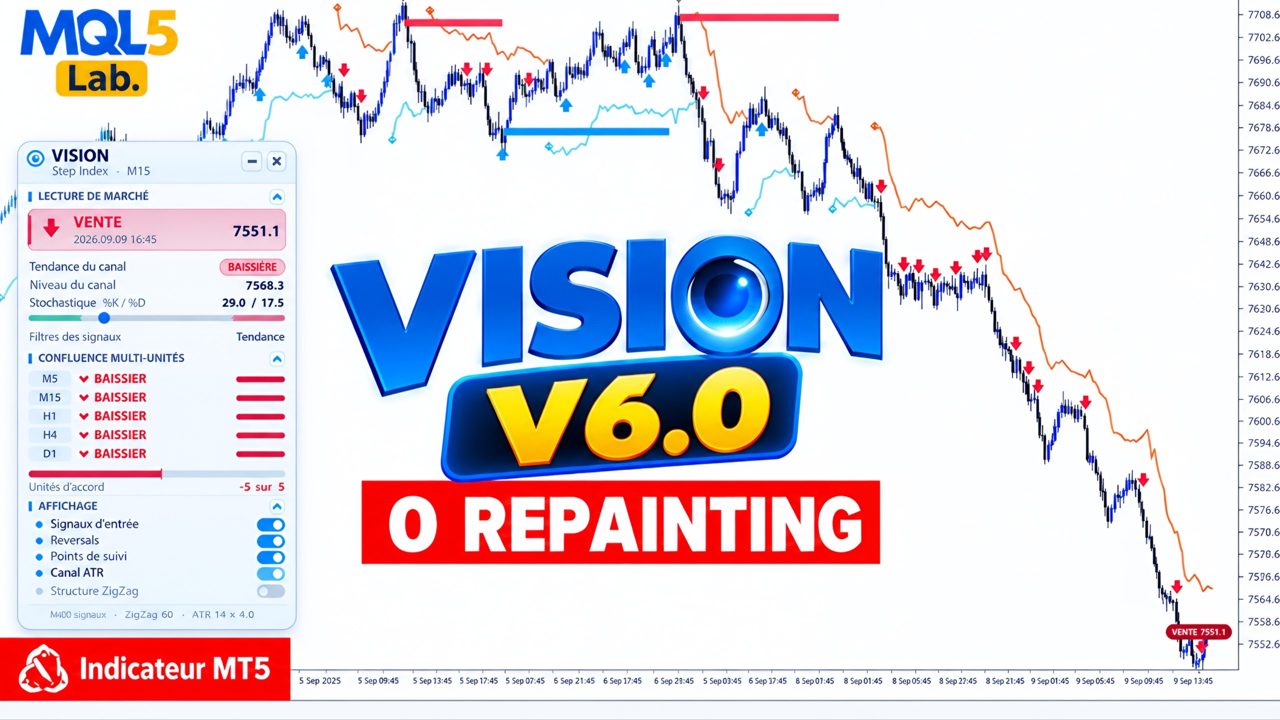
Vision combines a configurable stochastic, an ATR channel serving as a trend filter and a reversal ZigZag to produce readable signals on any asset. Arrows are placed as fixed objects: what is shown no longer moves.
The HUD shows the current state (trend, last signal, levels), and a multi-timeframe dashboard (M5 · M15 · H1 · H4 · D1) stacks below to check at a glance that the timeframes are aligned before acting.
Each building block can be disabled independently: you can keep only the arrows, or only the channel, or only the dashboard.
Stochastic crossings filtered (below 20 / above 80) and drawn as fixed objects: no arrow disappears.
An ATR channel (adjustable period and multiplier) allows buys in an uptrend, sells in a downtrend.
Structure reversal detection with adjustable depth, optional structure line.
A compact display in the chosen corner: trend, signal, key values.
M5, M15, H1, H4, D1 trend in real time, customisable colours and font.
Window, e-mail and mobile push notification.

Every setting is commented in the MetaTrader parameters window. Here are the main groups.
In MetaTrader 5: File → Open Data Folder, then MQL5 / Indicators.
Copy the file .ex5 (and the Include provided, if any) into this folder.
In the Navigator (Ctrl+N), right-click Indicators → Refresh.
Set the parameters, confirm. The tool is active.
Choose the plan, send the amount in USDT, fill in the form with the transaction hash. I check every payment on-chain myself and send you the file and its license by e-mail within 24 h.
Monthly, cancel any time, or a lifetime license with updates.
In USDT, BNB Smart Chain (BEP20) network only, to the address below.
The transaction hash and the path of your MQL5 folder (illustrated guide below).
The file and its license, within 24 h of payment confirmation. Notification on Telegram too.
Scan from your wallet or exchange app, or copy the address. Check the network before confirming.
0x28bbfce4017130356d9bcf15053f67bbb8351638
Watch the animation, or follow the steps. On MetaTrader 5, the data folder has a unique identifier: that is what identifies your installation.
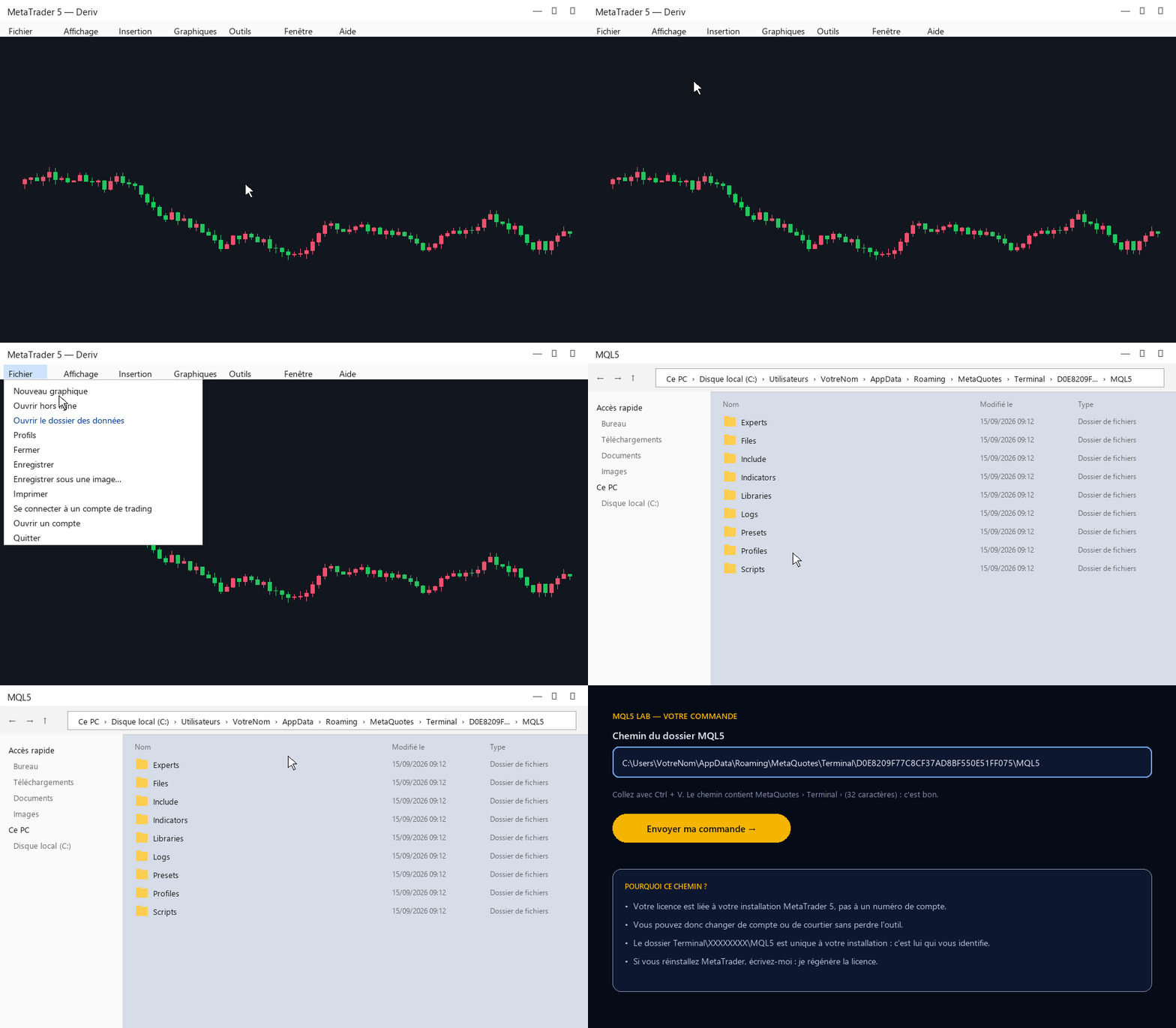
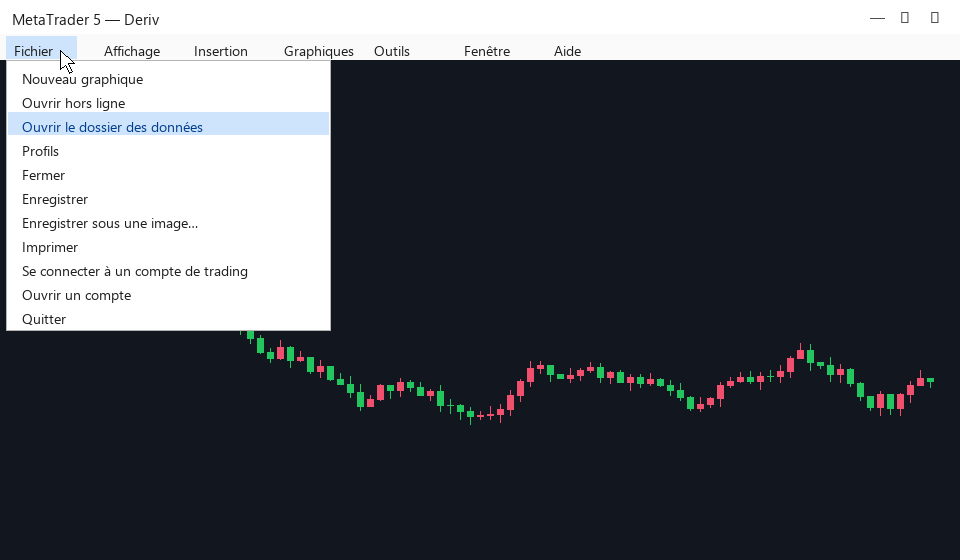
File → Open Data Folder. An Explorer window opens.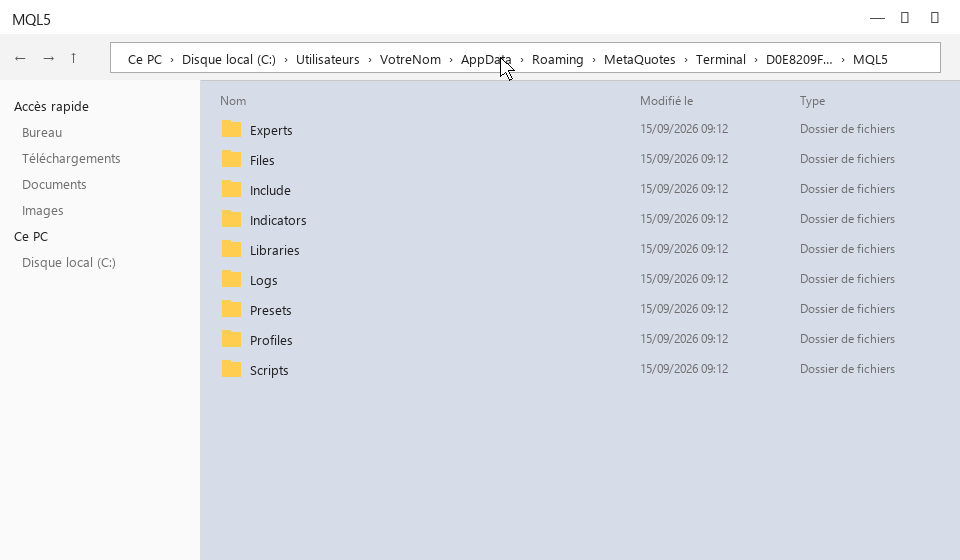
MQL5, then click once in the address bar at the top: the full path appears.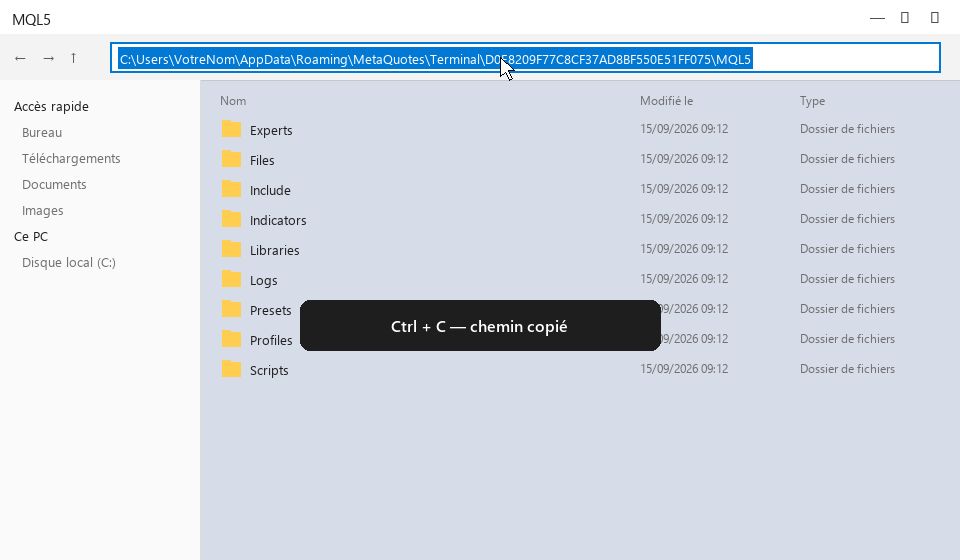
C:\Users\Vous\AppData\Roaming\MetaQuotes\Terminal\D0E8…\MQL5.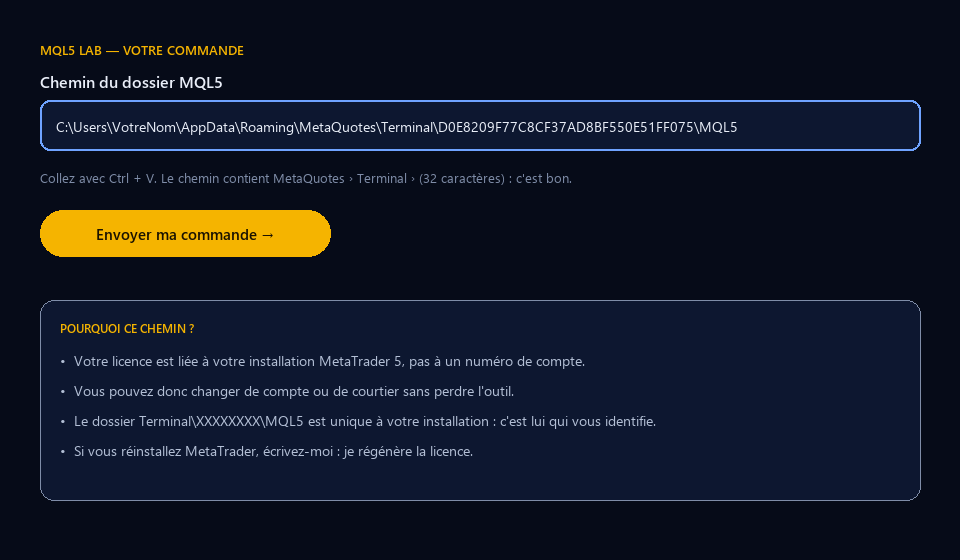
Several MetaTrader installations (several brokers)? Send the path of the one where you will use the tool. On Mac or on a VPS the principle is the same: the folder Terminal\identifier\MQL5.
Honest feedback, positive or not, from people who actually installed the tool. I do not edit reviews; I only remove spam and links.
Loading…

It spots wick clusters — where the market rejected a price several times — and turns them into entry zones with SL and TP at the chosen ratio, filtered by a trend EMA.
It draws the structure, the zone, the refined obstacle and the area to watch before the price gets there. It never rewrites the past.

Structure, zones, liquidity, signals: the whole Smart Money reading on a single chart, calibrated to the symbol's ATR, with a panel summarising the bias, the price position and the state of the zones. More precise, more complete.